
All writing · 17 Mar 2026 · 5 min read
Claude Skills 2.0 — From Recipe to Kitchen
Anthropic's new Skill Creator is a meta-skill that builds other skills. I have 30+ custom skills running daily — here's how this tool changed everything, with an original demo you won't find anywhere else.
I have 30+ Claude Skills running daily in my workflow. Some generate images, some publish blog posts, some create entire landing pages from a single prompt. When Anthropic released the Skill Creator — a meta-skill that builds new skills automatically — it felt less like an update and more like a paradigm shift.
This article breaks down what changed, why it matters, and includes an original demo you won't find anywhere else.
What Are Claude Skills?
A Claude Skill is a reusable markdown file (.md) that gives Claude a specific capability or workflow. Think of it as a recipe: instead of explaining from scratch every time how to bake bread, you hand Claude the recipe card and say "make this."
Each skill contains:
- YAML frontmatter — tells Claude when to activate the skill
- Markdown instructions — the step-by-step workflow Claude follows
---
name: design-audit
description: Analyze UI and identify usability problems.
---

## Workflow
1. Review UI screenshot
2. Identify issues
3. Map to UX heuristics
4. Provide redesign suggestions
Skills can range from simple (a PRD template) to complex (a multi-step pipeline that generates images, uploads them to storage, and publishes a blog post — like the very skill that published this article).
The key insight: Skills don't just make Claude faster. They make Claude consistently good at specific tasks. Without a skill, you're relying on prompt engineering every single time. With a skill, the quality is baked in.
What's New: The Skill Creator (The "2.0")
Here's where it gets meta.
Skill Creator is a skill that creates other skills. It lives in Anthropic's official skills repository, and it fundamentally changes how you work with Claude.
Before Skill Creator:
- Think about what you want Claude to do
- Write a markdown file manually
- Test it with various inputs
- Iterate on the instructions
- Hope it works consistently
After Skill Creator:
- Describe what you want in plain language
- Skill Creator analyzes the request
- It asks clarifying questions
- It generates the full skill package
- It tests the skill and evaluates output quality automatically
That last point is the game-changer. Skill Creator doesn't just write a skill — it runs eval tests that compare outputs with and without the skill, so you can see exactly how much improvement you're getting.
Installing Skill Creator
Getting started is straightforward. In Claude Code (or VS Code with Claude integration):
- Type
/manage plugins - Search for skill-creator
- Click Install → choose "Install for you" (makes it available across all projects)
- Restart your Claude session
After installation, confirm it's ready:
Do you have skill-creator available for crafting new skills?Our Demo: Building Something Real
Most tutorials demonstrate Skill Creator with simple examples like food delivery apps. I wanted to push further — to show what this tool can do when you're building something that actually matters to you.
The Prompt
Instead of a generic app, I asked Skill Creator to build a skill for creating AI agency portfolio sites — the kind of dark, sophisticated pages that signal "we know what we're doing" in the AI consulting space.
I want to create a new skill called super-portfolio that will take
agency details as input, ask clarifying questions about brand,
services, and target clients, then generate a premium dark-theme
portfolio landing page with:
- Floating card animations
- Stats bar with gradient accents
- Service list with hover interactions
- Case study grid with colored gradients
- Team section with avatar placeholders
- Tech stack marquee
- Testimonial block
- Strong CTA section

Style: Swiss-design inspired, architectural, editorial.
Tech: Single HTML file with Tailwind CDN, no build step needed.
The Result
Skill Creator generated a complete skill, tested it against multiple inputs, and produced evaluation scores. The skill-generated output consistently outperformed raw Claude output in:
- Visual sophistication (proper dark theme, gradient accents, animation patterns)
- Information architecture (logical section flow, progressive disclosure)
- Code quality (clean Tailwind usage, proper semantic HTML)
And here's what the skill produced when I used it to build a portfolio for a fictional AI agency called "NovaMind":
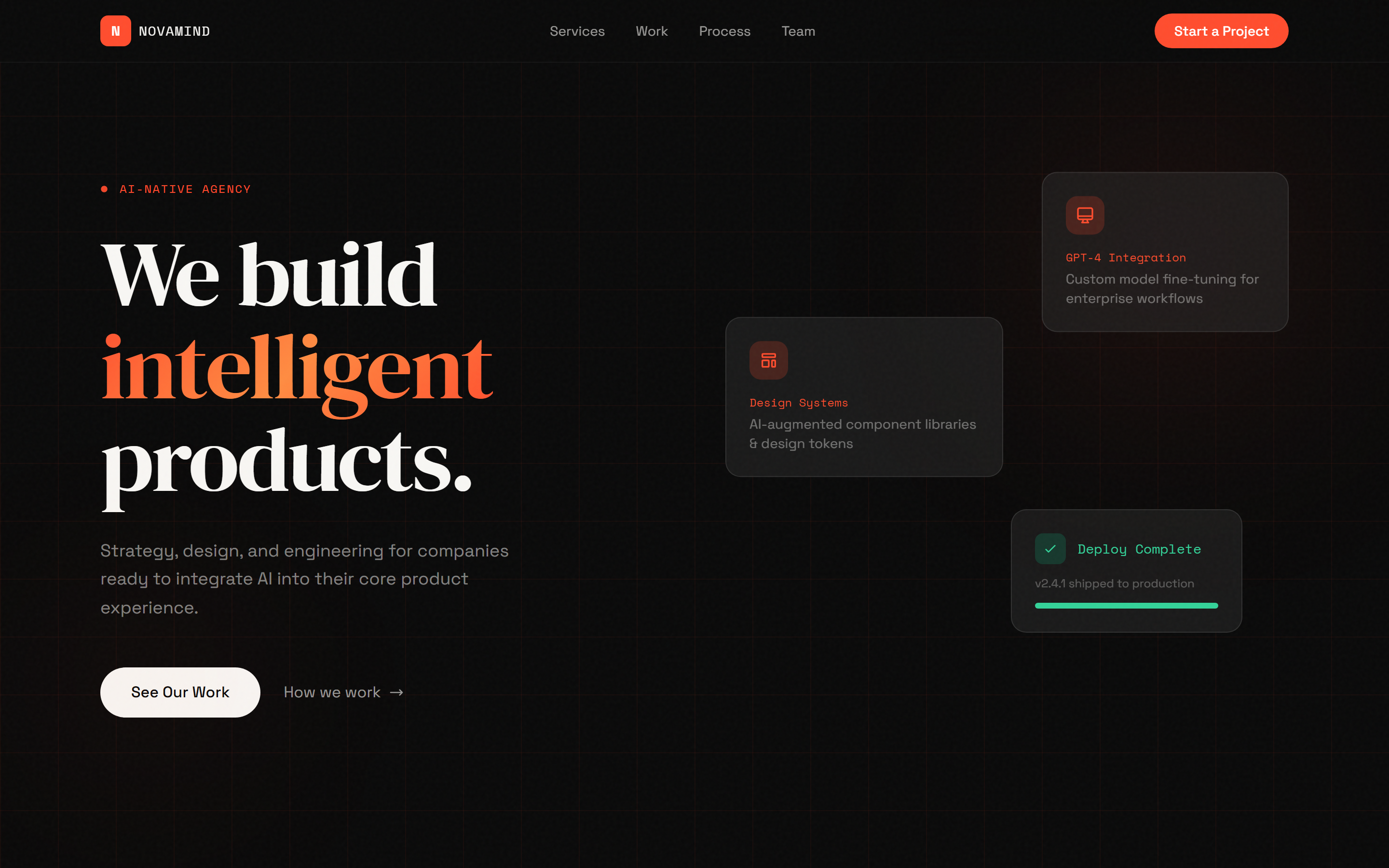
The hero alone has floating cards with staggered animations, a gradient text effect, a pulse indicator, and a grid background pattern. All from a single skill invocation.
The Full Page Scroll
Here's the complete page in action — services, case studies, process timeline, team, and CTA:
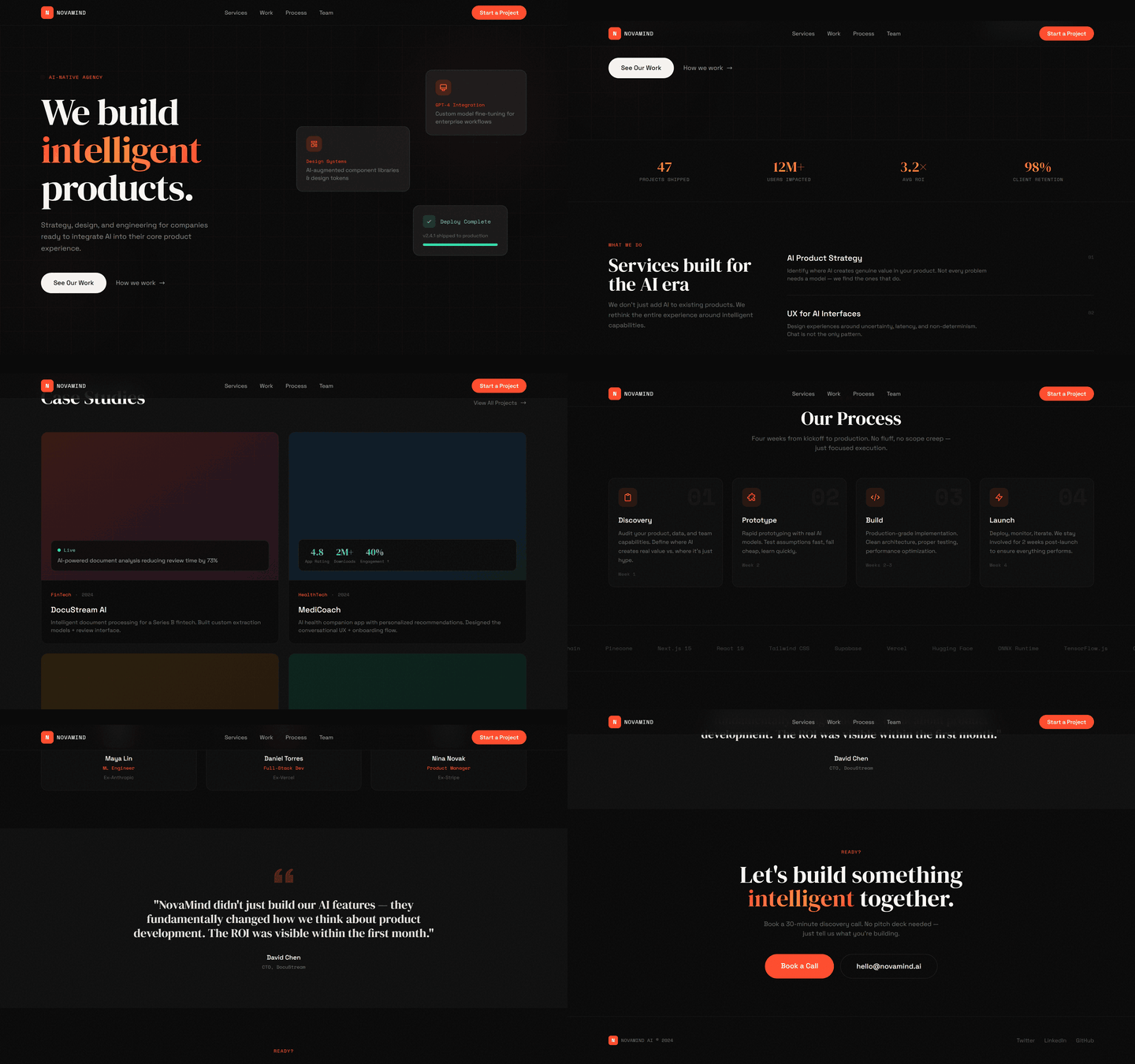
This isn't a mockup. This is a fully functional HTML page generated by a Claude Skill that was itself generated by Skill Creator. Meta-automation at its finest.
Why This Matters
For Designers
Skills let you encode your design sensibility into a reusable system. Instead of explaining "I want Swiss-design, editorial, minimal" every time, you bake it into the skill once. Every output inherits your taste.
For Developers
Think of skills as your personal standard library for AI-assisted development. I have skills for blog post publishing, social media graphics, carousel design, brand extraction — each one is a pipeline that would take hours to set up from scratch.
For Anyone Building with AI
The shift from "writing prompts" to "building skills" is the same shift as going from "writing scripts" to "building functions." It's the natural evolution of working with AI tools.
My skill collection right now:
- 30+ custom skills for content creation, design, development
- Skills that chain together (one skill's output feeds another)
- Skills that use MCP tools (Supabase, image generation, web scraping)
- This very blog post was published using a custom blog-post-creator skill
Get Started
- Install Skill Creator:
/manage plugins→ search "skill-creator" → Install - Start simple: Create a skill for something you do repeatedly
- Iterate: Use the eval table to improve your skills
- Share: The Anthropic skills repo has community-contributed skills
The recipe metaphor is perfect for understanding skills. But Skill Creator isn't just another recipe — it's the entire kitchen. It gives you the tools, the ingredients, and the quality control to produce consistently excellent results.
Stop writing prompts. Start building skills.
The NovaMind AI portfolio demo was generated entirely by a Claude Skill built with Skill Creator. View the full HTML source →
AI · Claude Code · Tutorial · Automation · Web Design