
All writing · 18 Mar 2026 · 9 min read
Claude Code Agent Skills 2.0: From Custom Instructions to Programmable Agents
Claude Code skills just became programs. Subagent execution, dynamic context injection, lifecycle hooks, permission controls, and formal evaluation — everything you need to know about the new skill system.
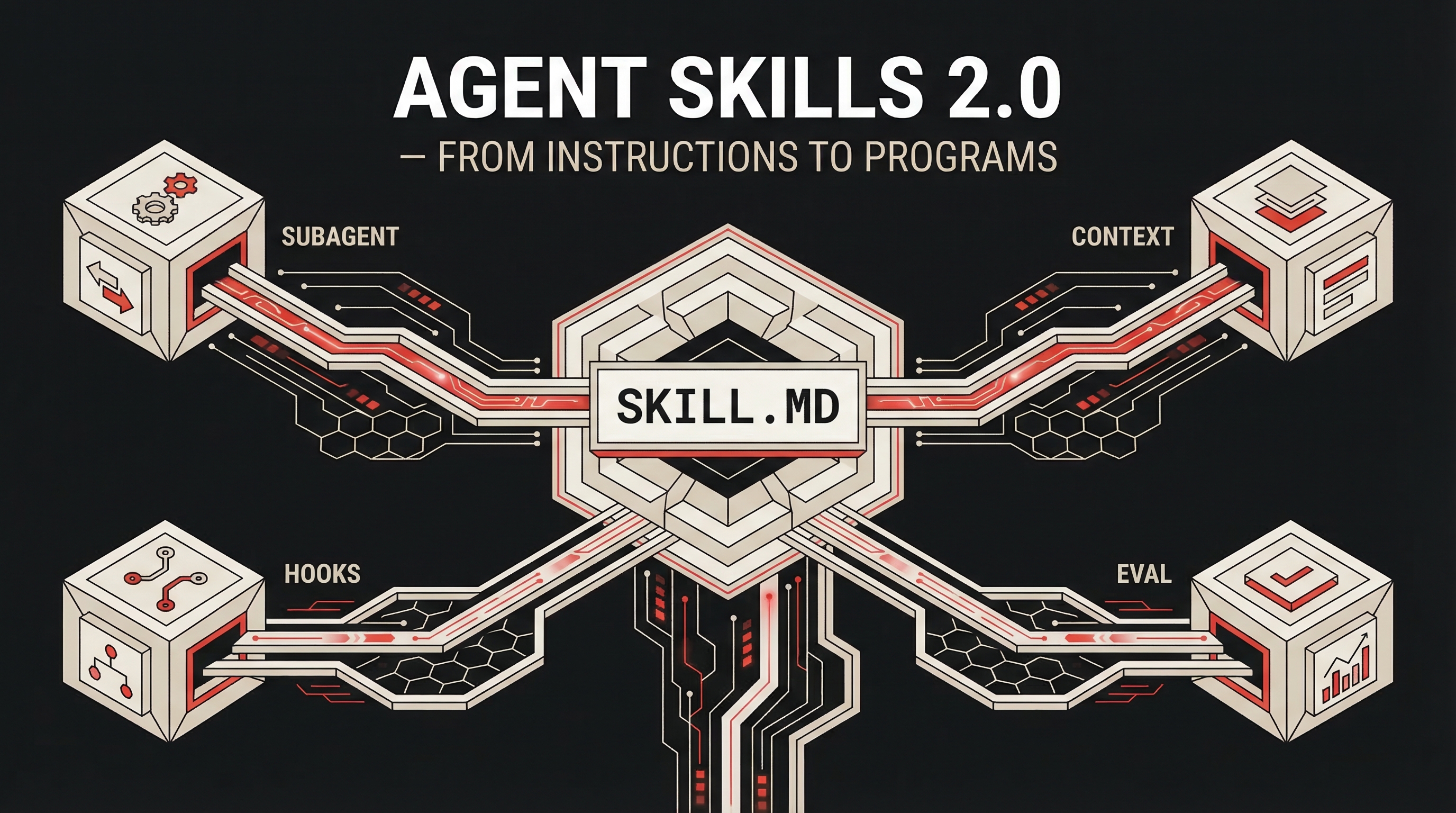
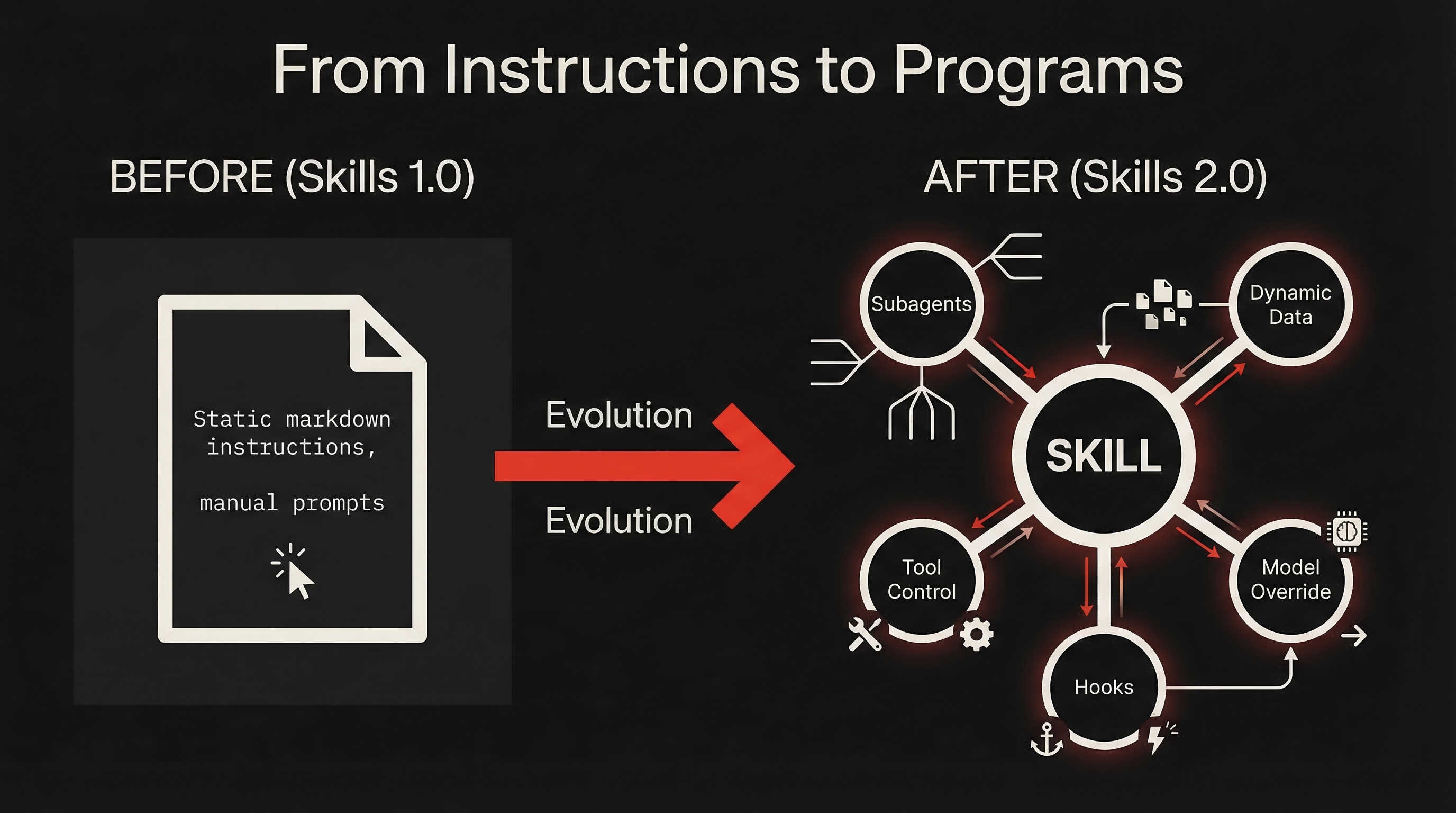
Claude Code's skill system just got a massive upgrade. What started as simple markdown instructions has evolved into a full programmable agent platform — with subagent execution, dynamic context injection, lifecycle hooks, and formal evaluation.
Skills are no longer instructions. They're programs.
What Changed
The biggest visible change: commands and skills merged. Files in .claude/commands/ still work, but .claude/skills/ is now the recommended path — supporting directories, richer frontmatter, supporting files, and everything described in this article.
Under that unification sits a set of deeper changes:
- Bundled slash commands ship with every install:
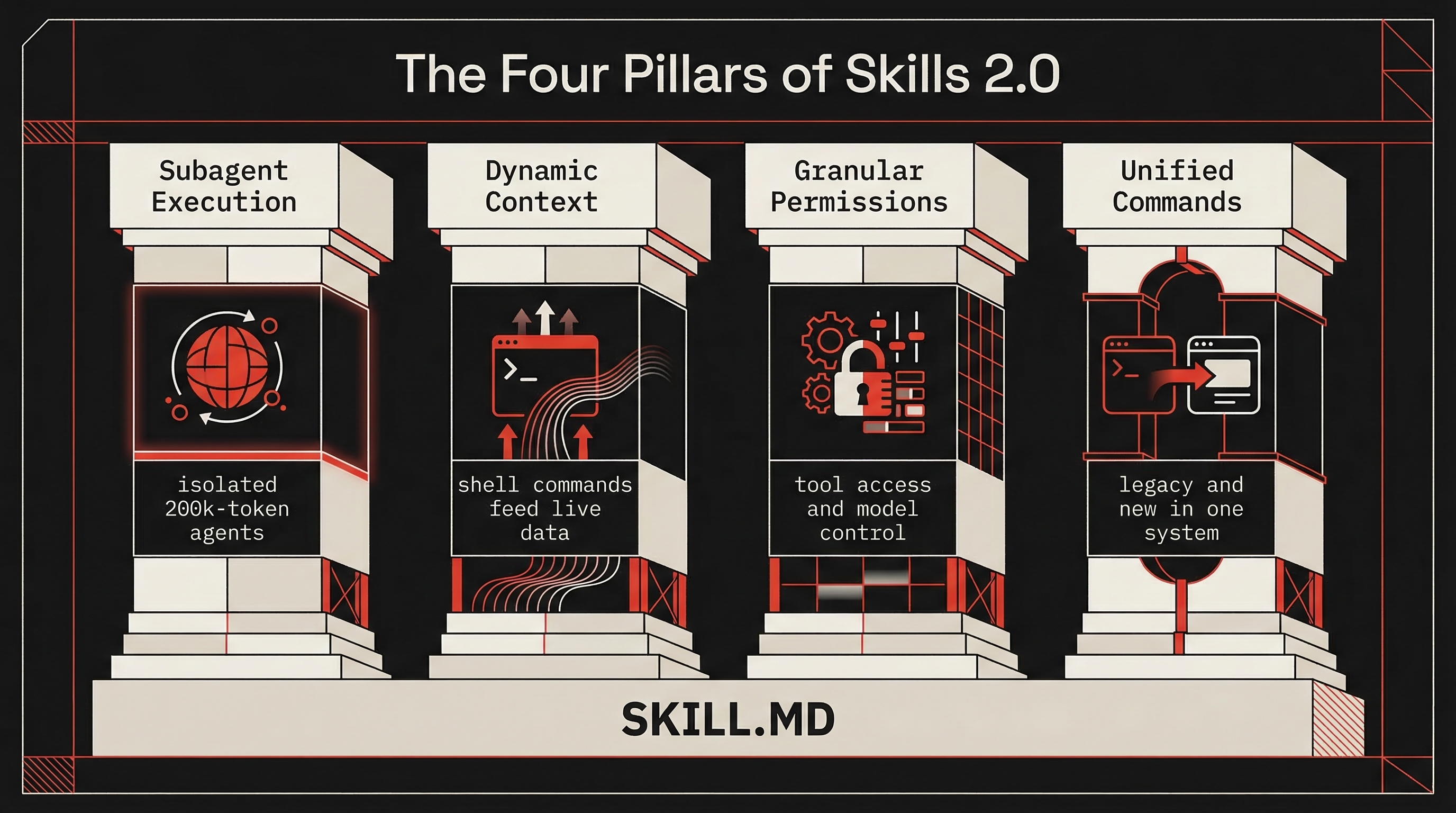
/simplify,/batch,/debug,/claude-api - Subagent execution lets any skill run in an isolated context window (
context: fork) - Dynamic context injection preprocesses shell commands before the prompt reaches Claude
- Granular permissions control who can invoke a skill, which tools it can access, and what model it runs on
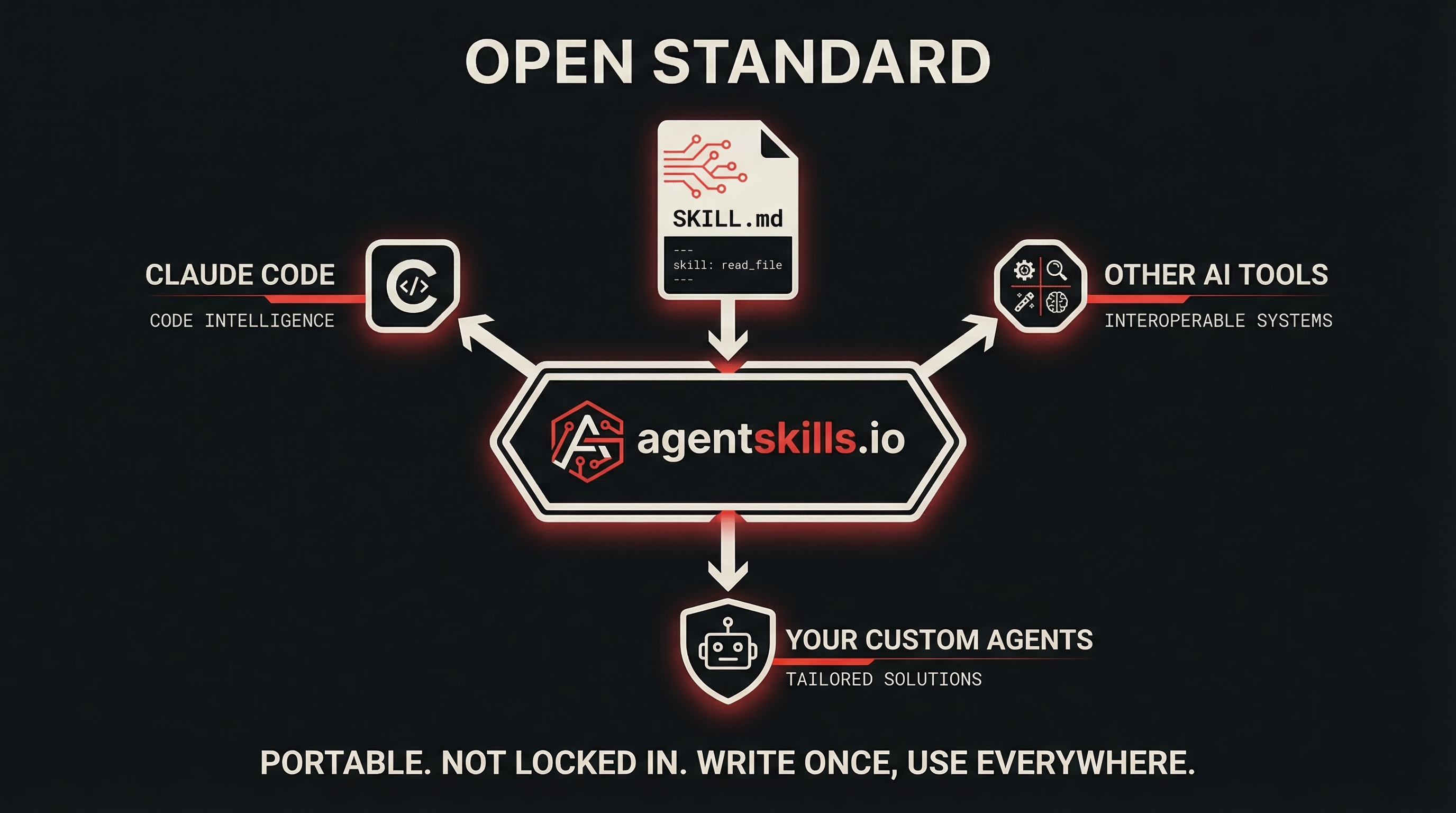
- The Agent Skills open standard at agentskills.io makes skills portable across AI tools
Anatomy of a Skill
Every skill lives in its own directory with a SKILL.md file as the entry point:
my-skill/
├── SKILL.md           # Main instructions (required)
├── reference.md       # Detailed docs (loaded on demand)
├── examples/          # Example outputs
└── scripts/           # Executable scripts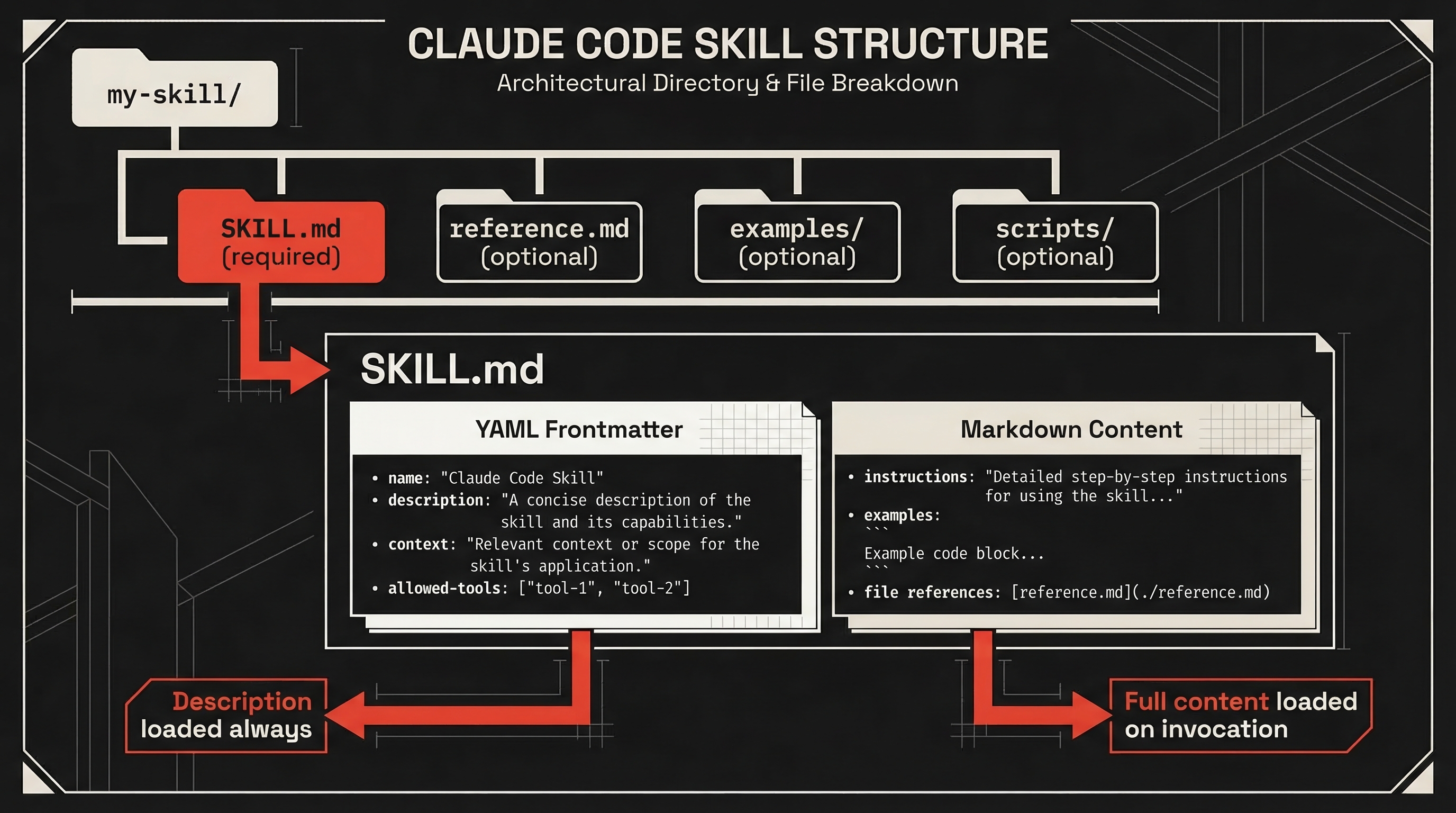
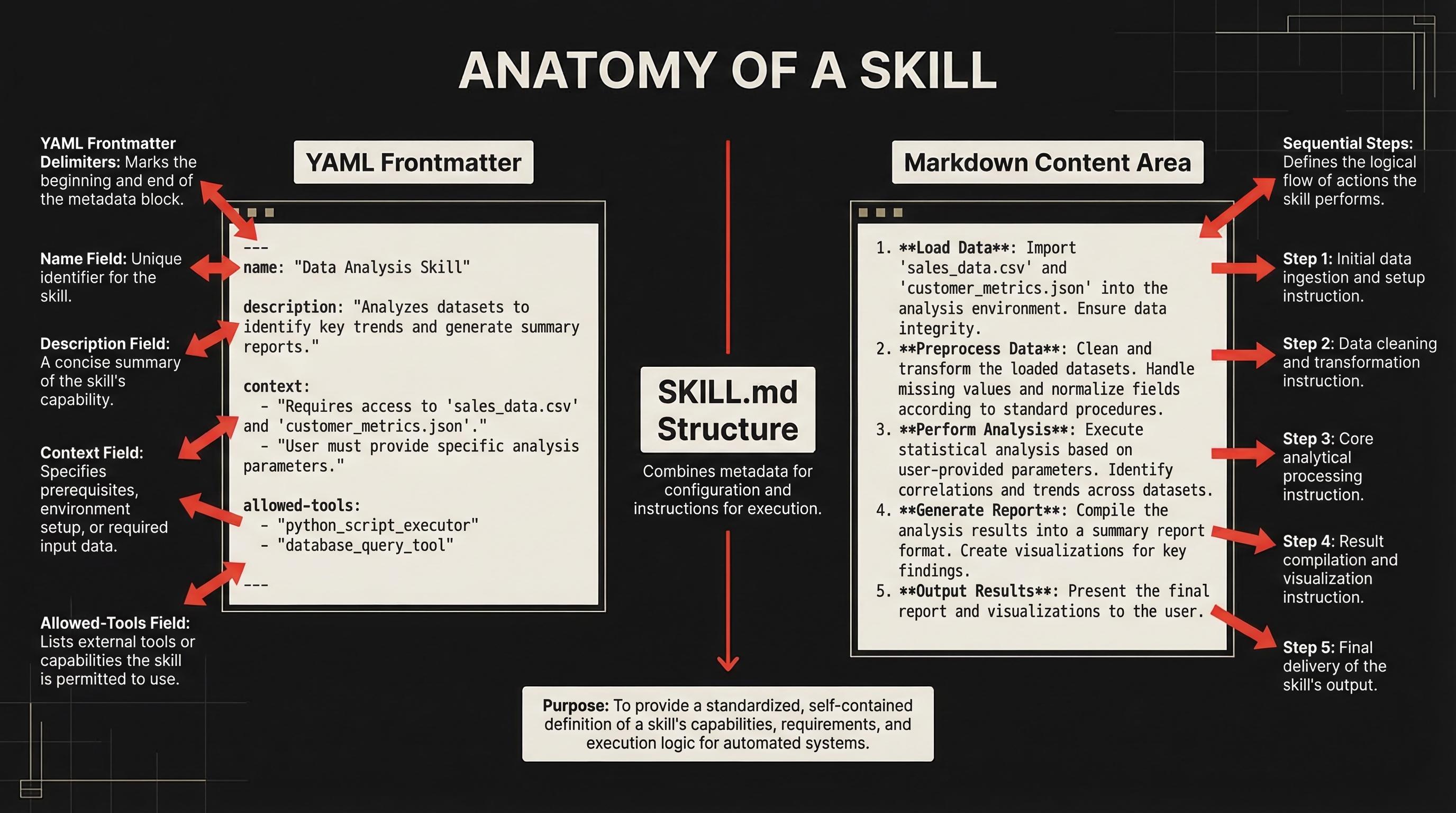
The SKILL.md file has two parts: YAML frontmatter that configures behavior, and markdown content with the actual instructions.
---
name: explain-code
description: Explains code with visual diagrams and analogies.
  Use when explaining how code works.
---

When explaining code, always include:
1. **Start with an analogy**
2. **Draw a diagram** using ASCII art
3. **Walk through the code** step-by-step
4. **Highlight a gotcha**
The name field becomes the slash command (/explain-code). The description is how Claude decides whether to load the skill automatically — be specific. "Helps with code" rarely triggers correctly. "Explains code with diagrams and analogies" does.
Where Skills Live
Skills are scoped by location, with higher-priority levels overriding lower ones:
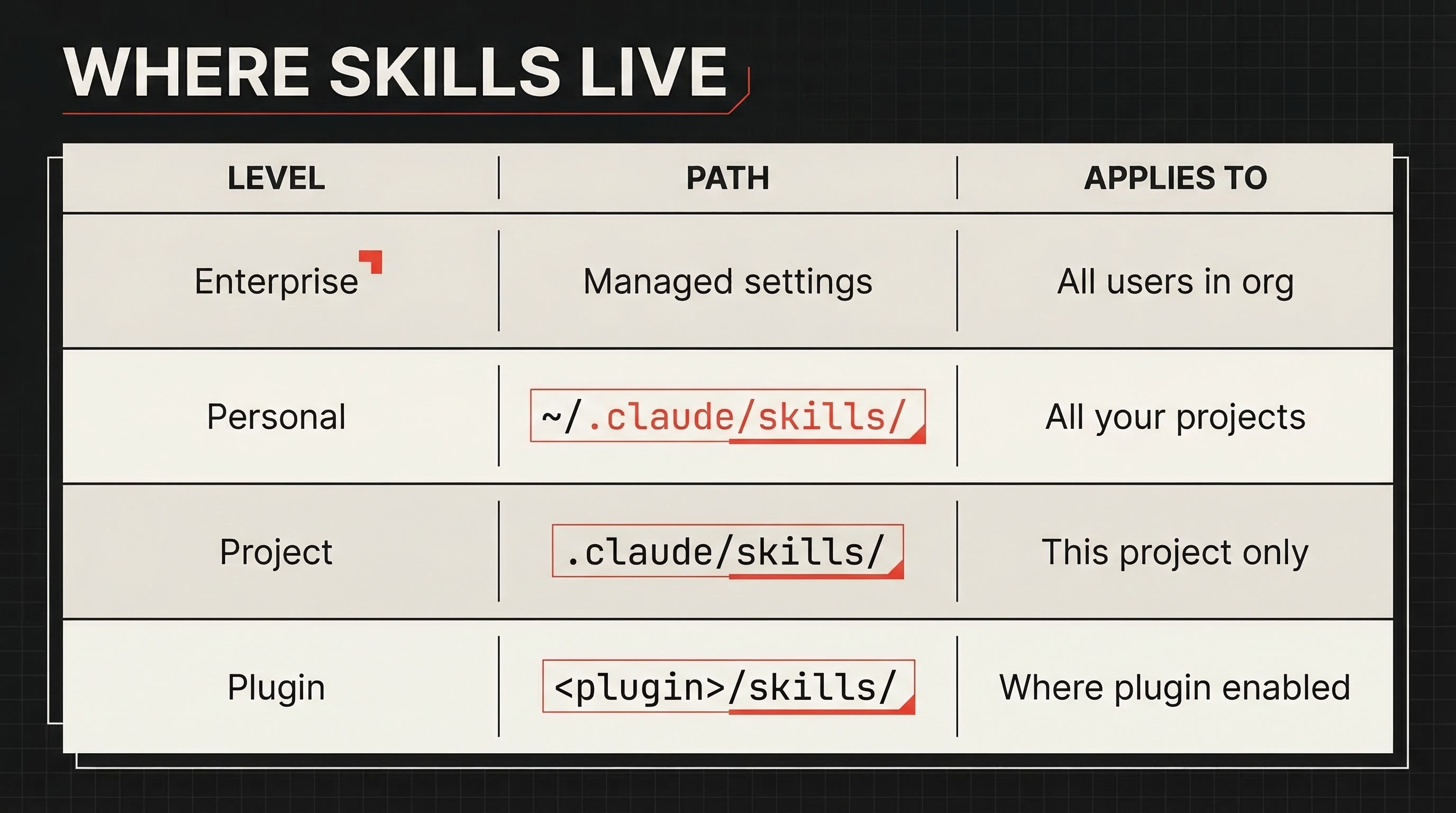
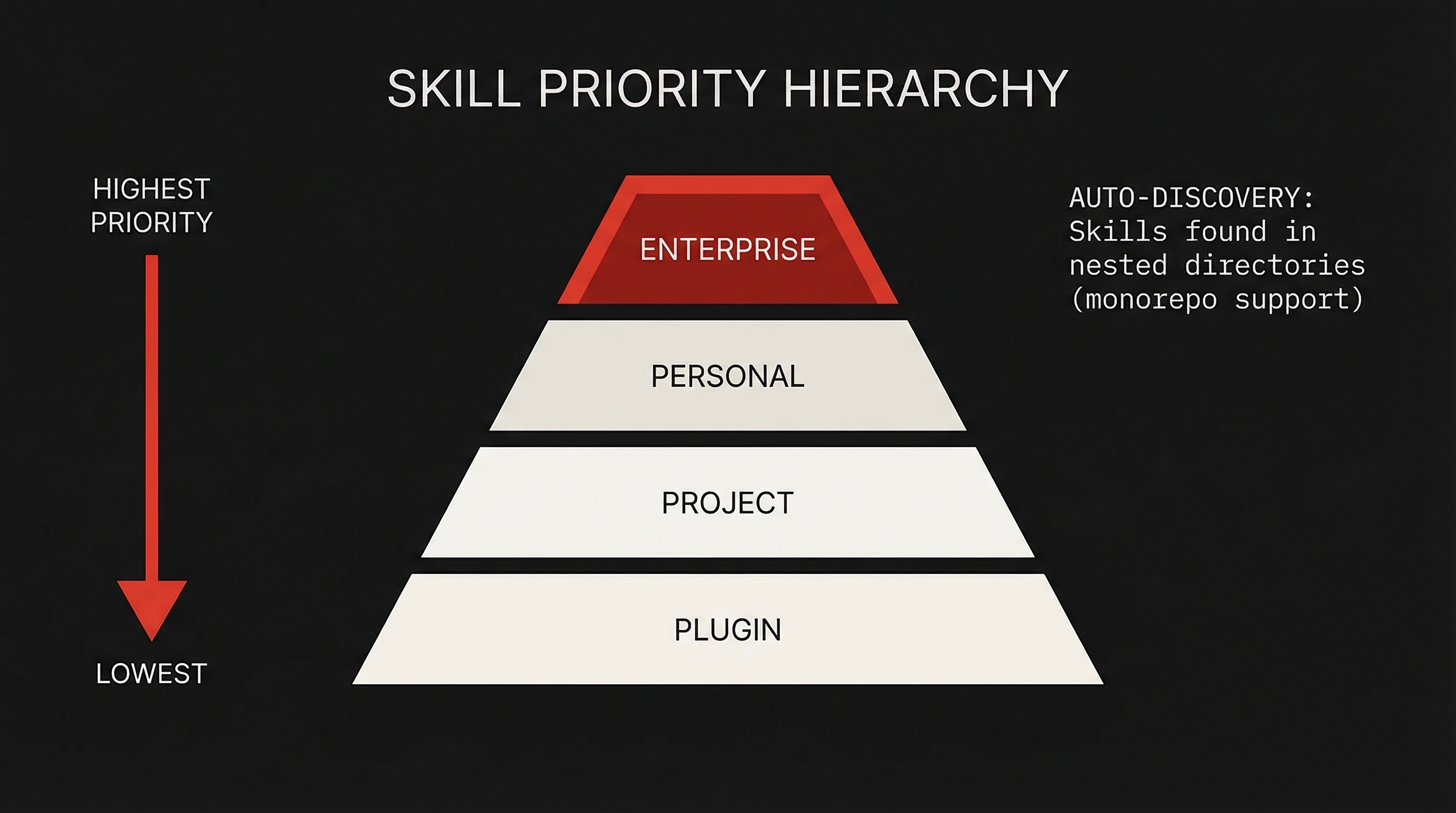
Claude Code also discovers skills from nested directories automatically. Editing a file in packages/frontend/? It picks up skills from packages/frontend/.claude/skills/. Monorepo-friendly out of the box.
The Full Frontmatter Reference
Every frontmatter field available:
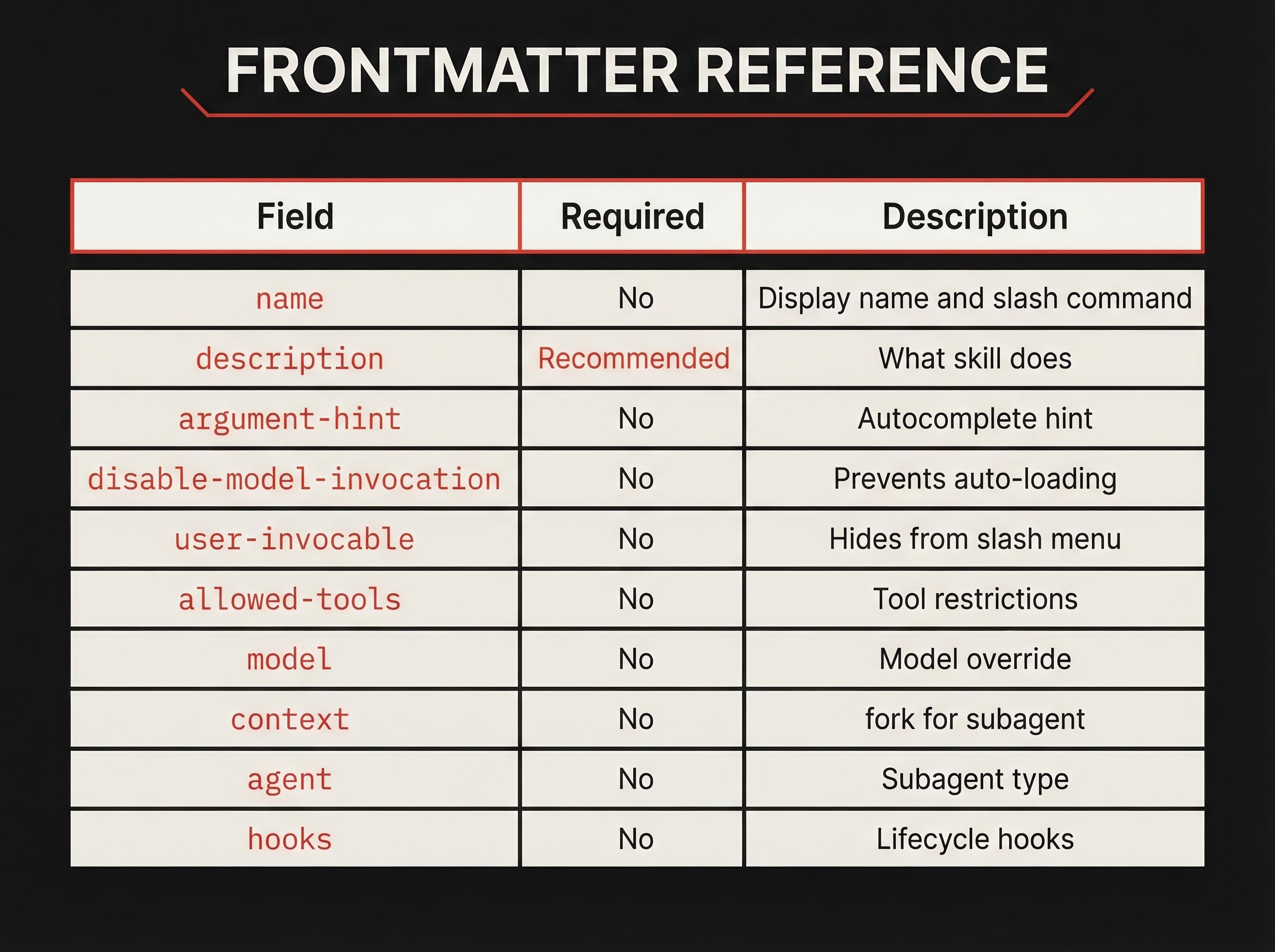
| Field | Required | Description |
|---|---|---|
name | No | Display name and slash command. Uses directory name if omitted |
description | Recommended | What the skill does. Claude uses this to decide when to load it |
argument-hint | No | Hint shown during autocomplete, e.g., [issue-number] |
disable-model-invocation | No | true prevents Claude from auto-loading. Manual /name only |
user-invocable | No | false hides from / menu. Claude-only background knowledge |
allowed-tools | No | Tools Claude can use without asking when skill is active |
model | No | Model override when skill is active |
context | No | fork runs in an isolated subagent context |
agent | No | Subagent type when context: fork (Explore, Plan, general-purpose, or custom) |
hooks | No | Hooks scoped to this skill's lifecycle |
The Big Four: Bundled Commands
Claude Code now ships with four built-in commands that demonstrate the full power of the new system.
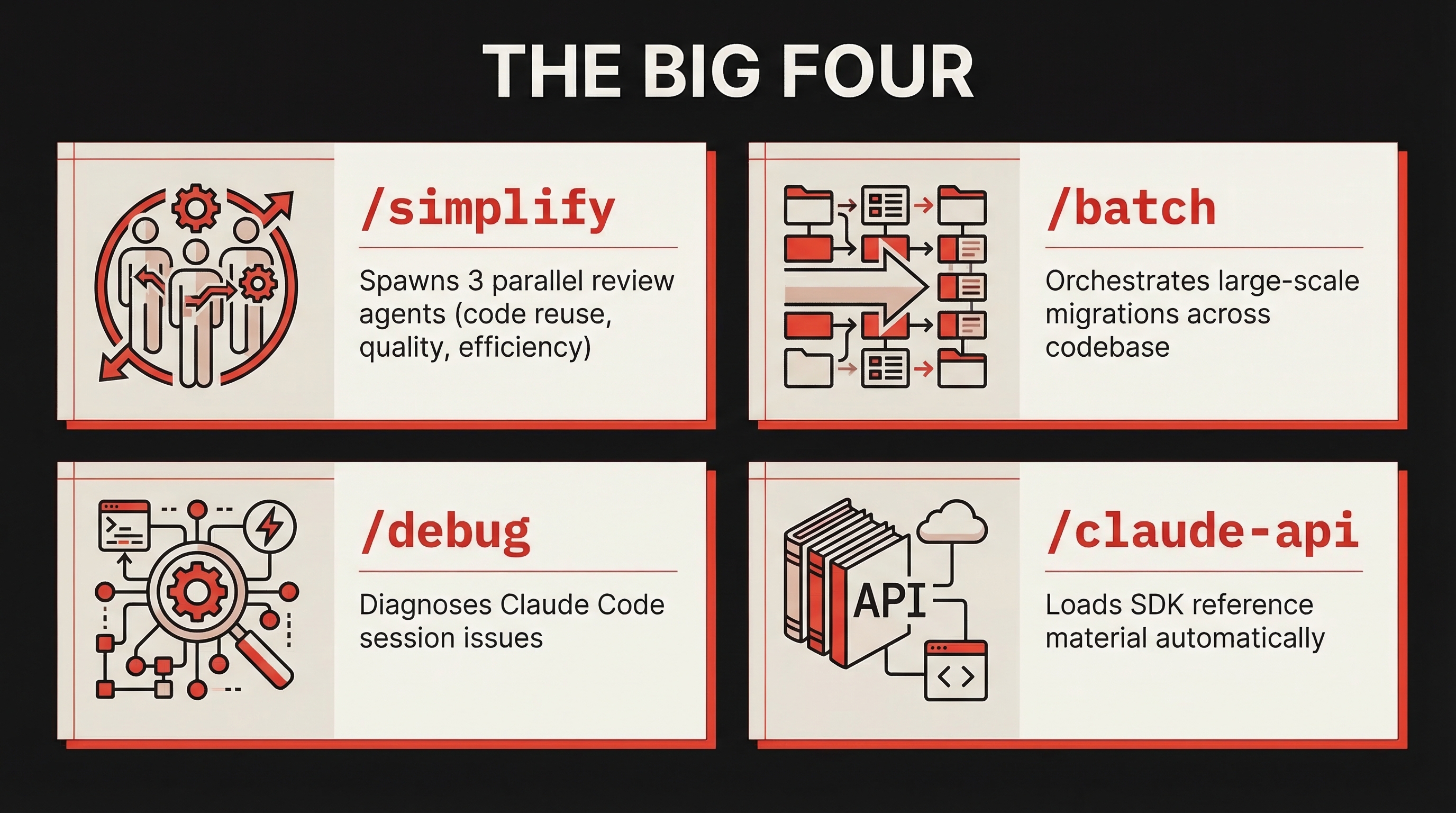
/simplify
After implementing a feature, run /simplify and it spawns three review agents in parallel:
- Code reuse — finds opportunities to reduce duplication
- Code quality — checks for bugs, unclear logic, maintainability
- Efficiency — identifies performance improvements
The agents run concurrently, aggregate findings, and apply fixes. You can focus the review: /simplify focus on memory efficiency.
This isn't a lint check. Each agent reads your changed files, understands the broader codebase context, and makes targeted improvements.
/batch
The most ambitious bundled command. Give /batch a description of a change and it:
- Researches your codebase to understand scope
- Decomposes the work into 5–30 independent units
- Presents a plan for your approval
- Spawns one agent per unit, each in an isolated git worktree
- Each agent implements, tests, and opens a pull request
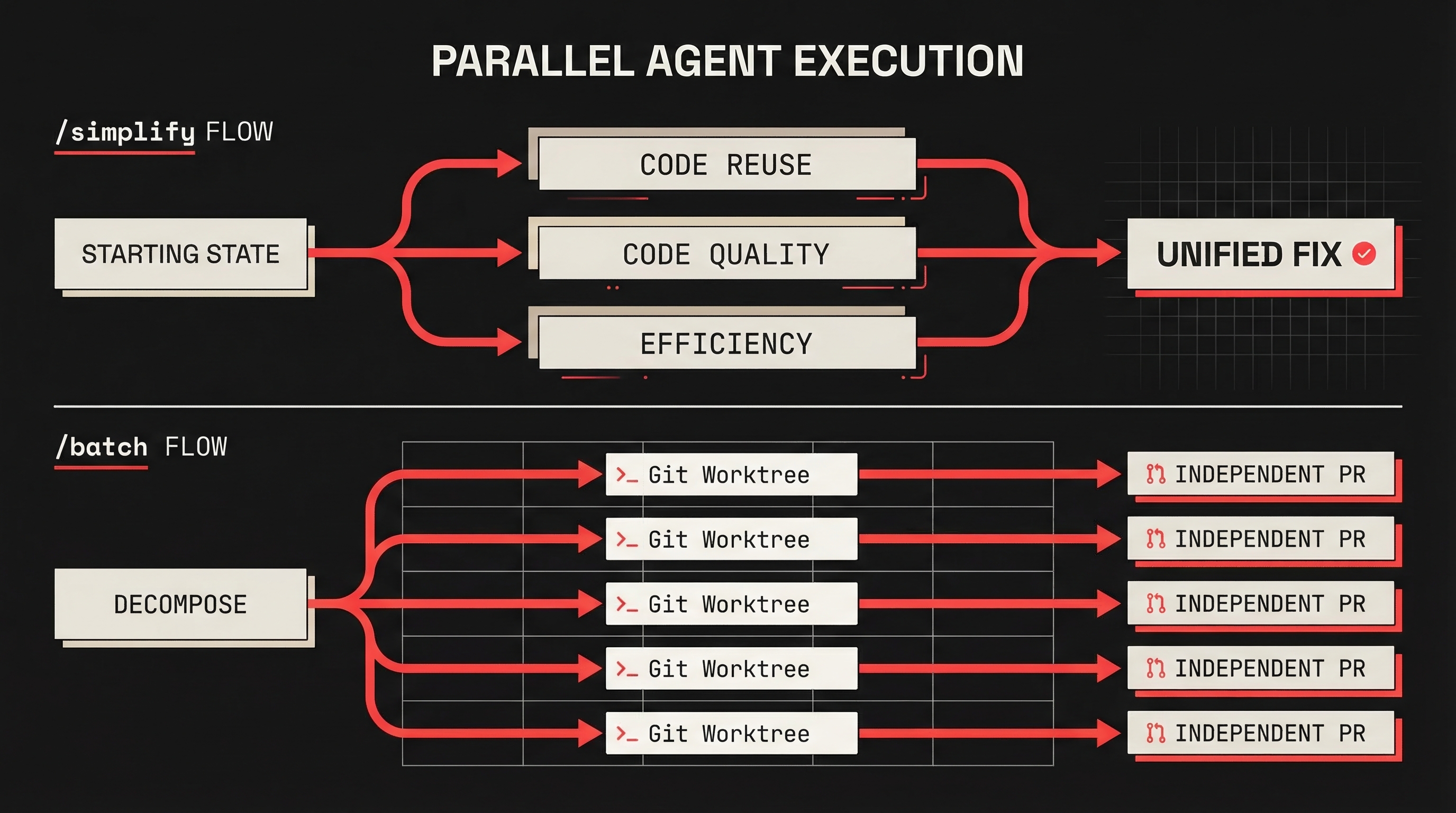
Example: /batch migrate src/ from Solid to React. Claude analyzes which components need migration, groups them, spawns parallel agents in separate worktrees, and produces individual PRs.
Key trade-off: Decomposition quality determines outcome quality. Review the plan before approving, and use specific, well-scoped change descriptions.
/debug
When Claude Code isn't behaving as expected, /debug reads the session debug log and diagnoses the issue. Pass a focus: /debug why is the Bash tool failing?
/claude-api
When your code imports anthropic, @anthropic-ai/sdk, or claude_agent_sdk, this skill activates automatically. It loads API reference material covering tool use, streaming, batches, structured outputs, and common pitfalls. You never invoke it manually — it just makes Claude smarter about the Anthropic SDK.
Subagent Execution: context: fork
This is the single most important addition in Skills 2.0. It transforms a skill from inline instructions into an isolated agent.
When a skill runs with context: fork:
- A new context window is created (fresh, no conversation history)
- The skill's markdown content becomes the subagent's task prompt
- The
agentfield determines the execution environment - Results are summarized and returned to your main conversation
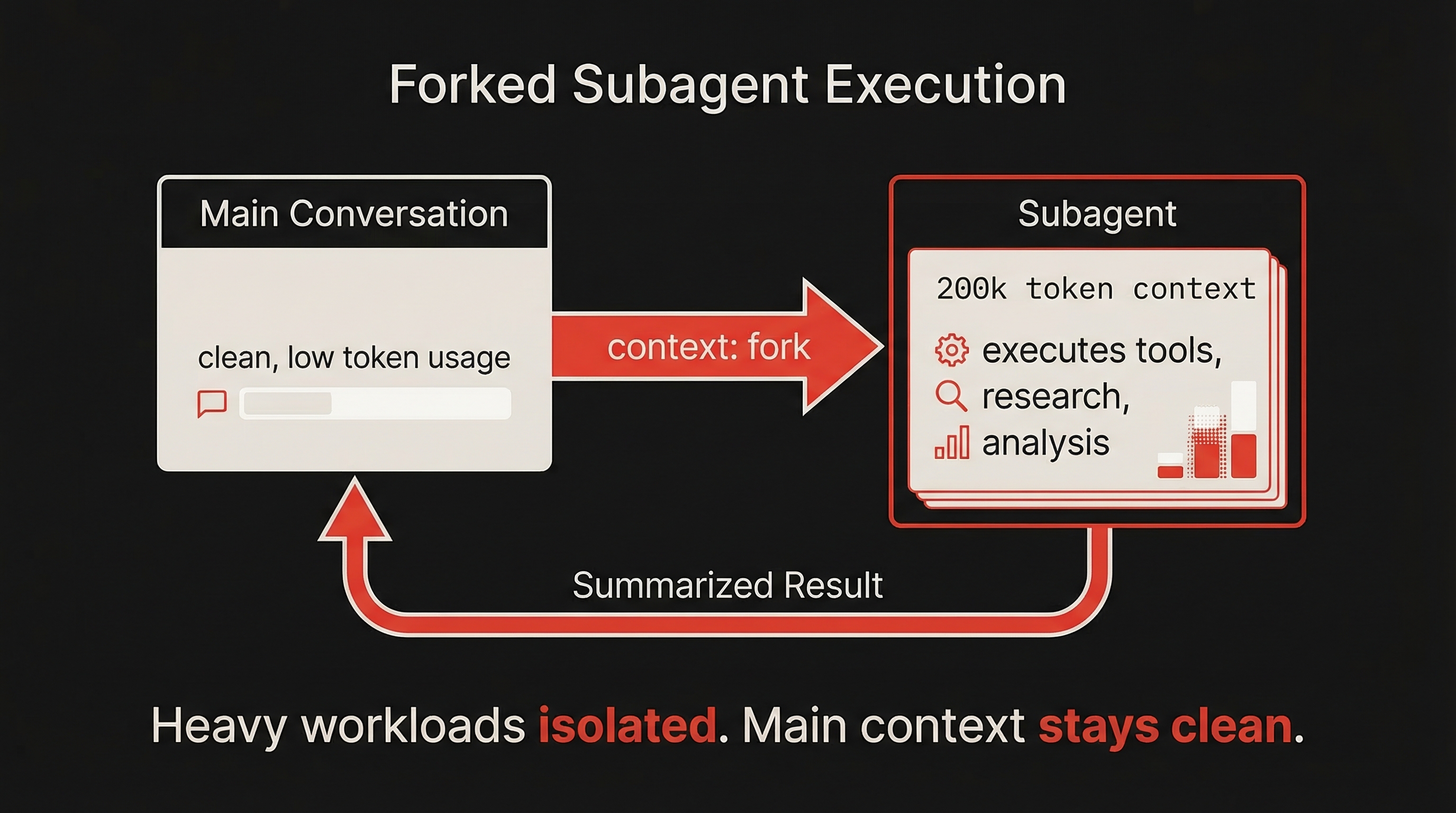
Why it matters: Long-running research or analysis tasks can consume thousands of tokens. Without context isolation, that cost lands in your main conversation, crowding out future context. With context: fork, the subagent absorbs all overhead — your conversation sees only the summary.
---
name: deep-research
description: Research a topic thoroughly in the codebase
context: fork
agent: Explore
---

Research $ARGUMENTS thoroughly:
1. Find relevant files using Glob and Grep
2. Read and analyze the code
3. Summarize findings with specific file references
Important constraint: context: fork only makes sense for skills with explicit task instructions. If your skill contains guidelines without a concrete task, the subagent has nothing to act on. Fork skills are for tasks; guideline skills should run inline.
Dynamic Context Injection
The backtick syntax runs shell commands before the skill content reaches Claude. The command output replaces the placeholder, so Claude receives actual data rather than stale text.
---
name: pr-summary
description: Summarize changes in a pull request
context: fork
agent: Explore
allowed-tools: Bash(gh *)
---

## Pull request context
- PR diff: !`gh pr diff`
- PR comments: !`gh pr view --comments`
- Changed files: !`gh pr diff --name-only`

## Your task
Summarize this pull request focusing on:
1. What changed and why
2. Potential risks or concerns
3. Suggested review focus areas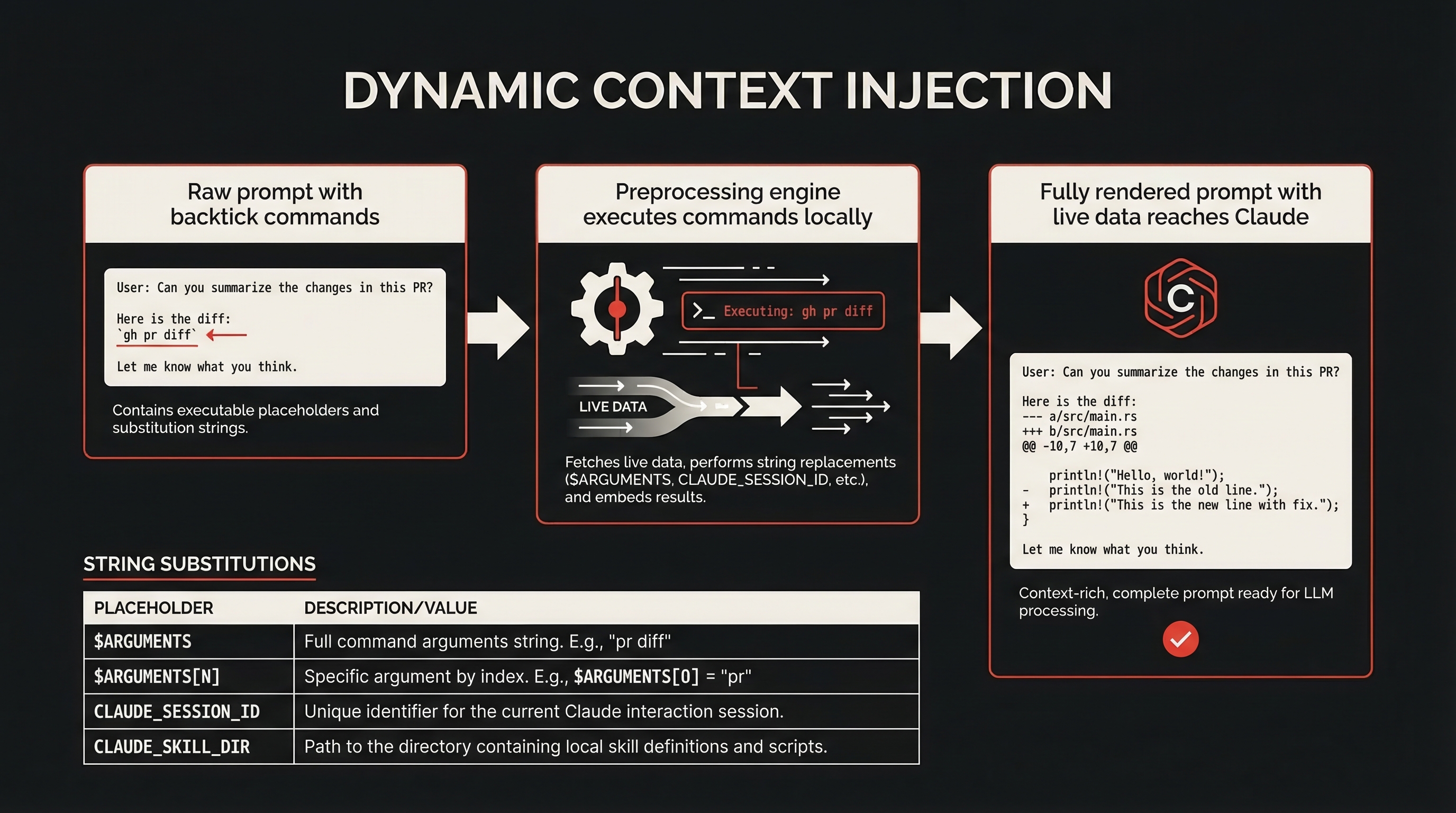
This is preprocessing — Claude never executes these commands itself. The data arrives already computed. It's faster (no tool calls needed) and cleaner (the skill reads like a document, not a chain of tool calls).
String Substitutions
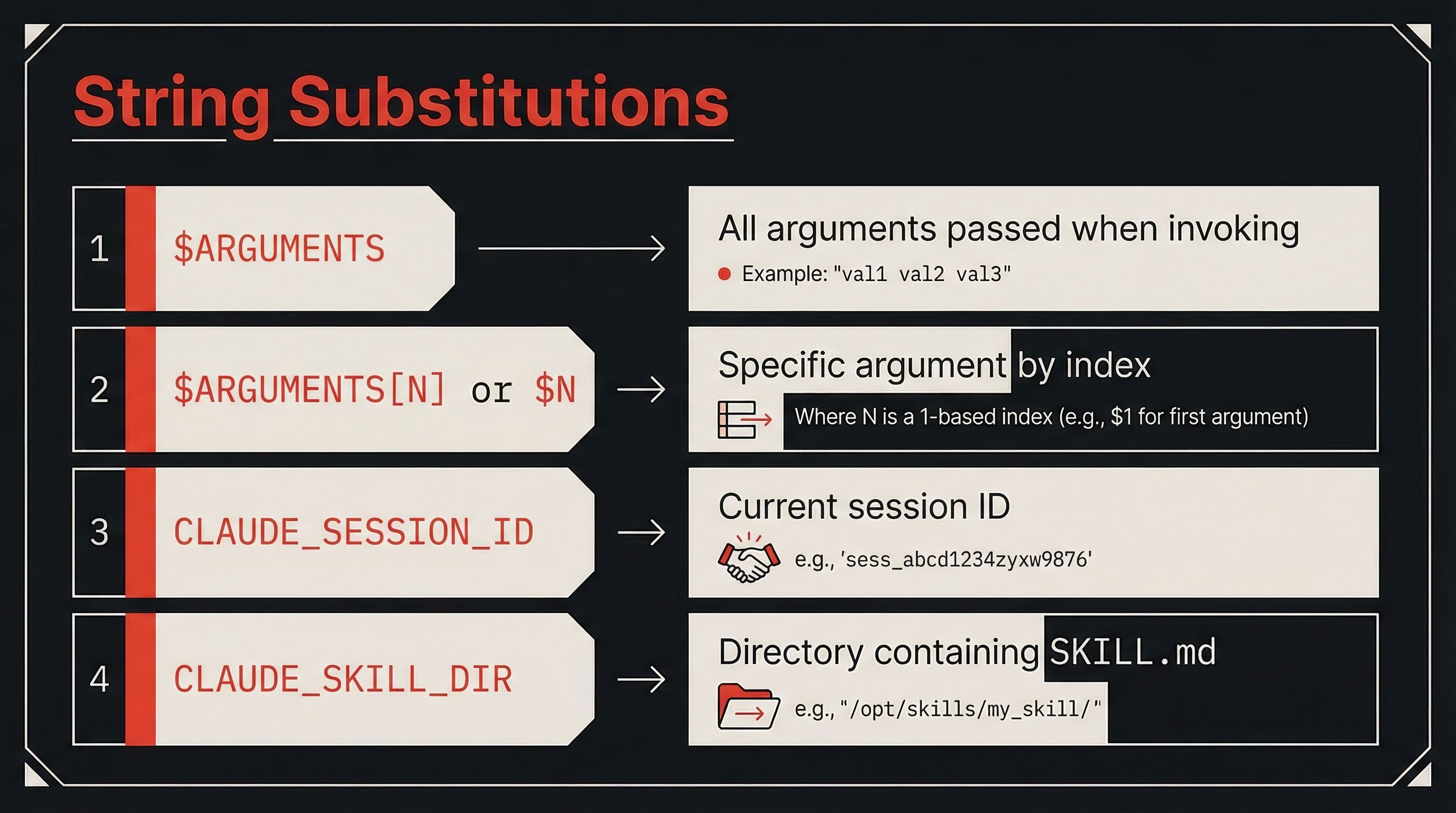
Skills support variable substitution for dynamic values:
| Variable | Description |
|---|---|
$ARGUMENTS | All arguments passed when invoking |
$ARGUMENTS[N] or $N | Specific argument by index |
${CLAUDE_SESSION_ID} | Current session ID |
${CLAUDE_SKILL_DIR} | Directory containing SKILL.md |
Running /migrate-component SearchBar React Vue substitutes each positional argument. The skill becomes a template you call with specific values.
Permission Controls
Skills 2.0 gives you fine-grained control over who can invoke a skill and what it can do.
Invocation Control
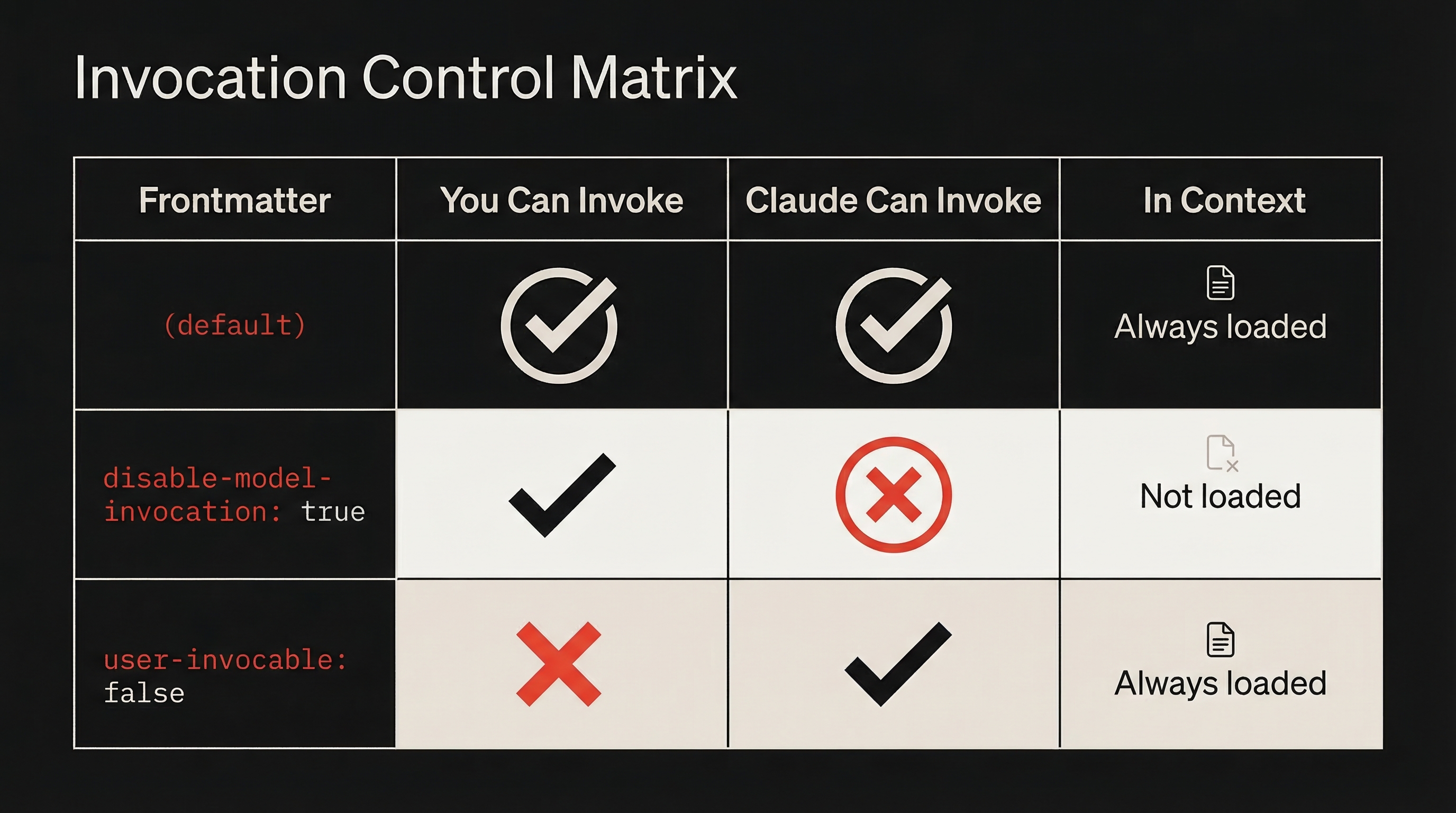
Two frontmatter fields determine who triggers a skill:
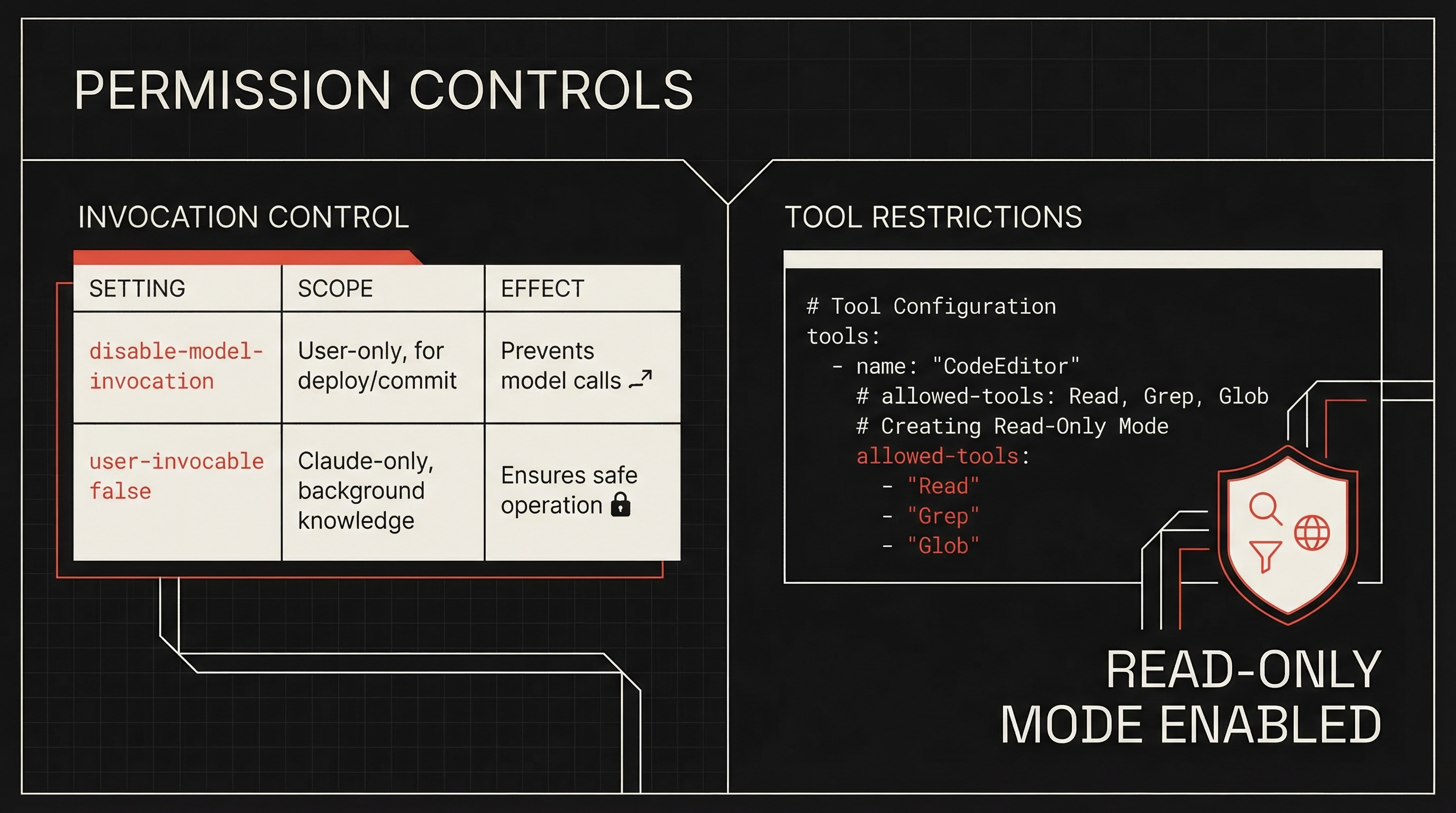
disable-model-invocation: true— Only you can invoke it. Use for workflows with side effects:/deploy,/commit,/send-slack-message.user-invocable: false— Only Claude can invoke it. Use for background knowledge that isn't actionable as a command.
Tool Restrictions
The allowed-tools field limits what Claude can do:
---
name: safe-reader
description: Read files without making changes
allowed-tools: Read, Grep, Glob
---
This creates a read-only mode — Claude can explore files but not modify them. Valuable for audit and analysis skills.
Supporting Files and Visual Output
Skills can include multiple files in their directory, keeping SKILL.md focused while giving Claude access to detailed material on demand.
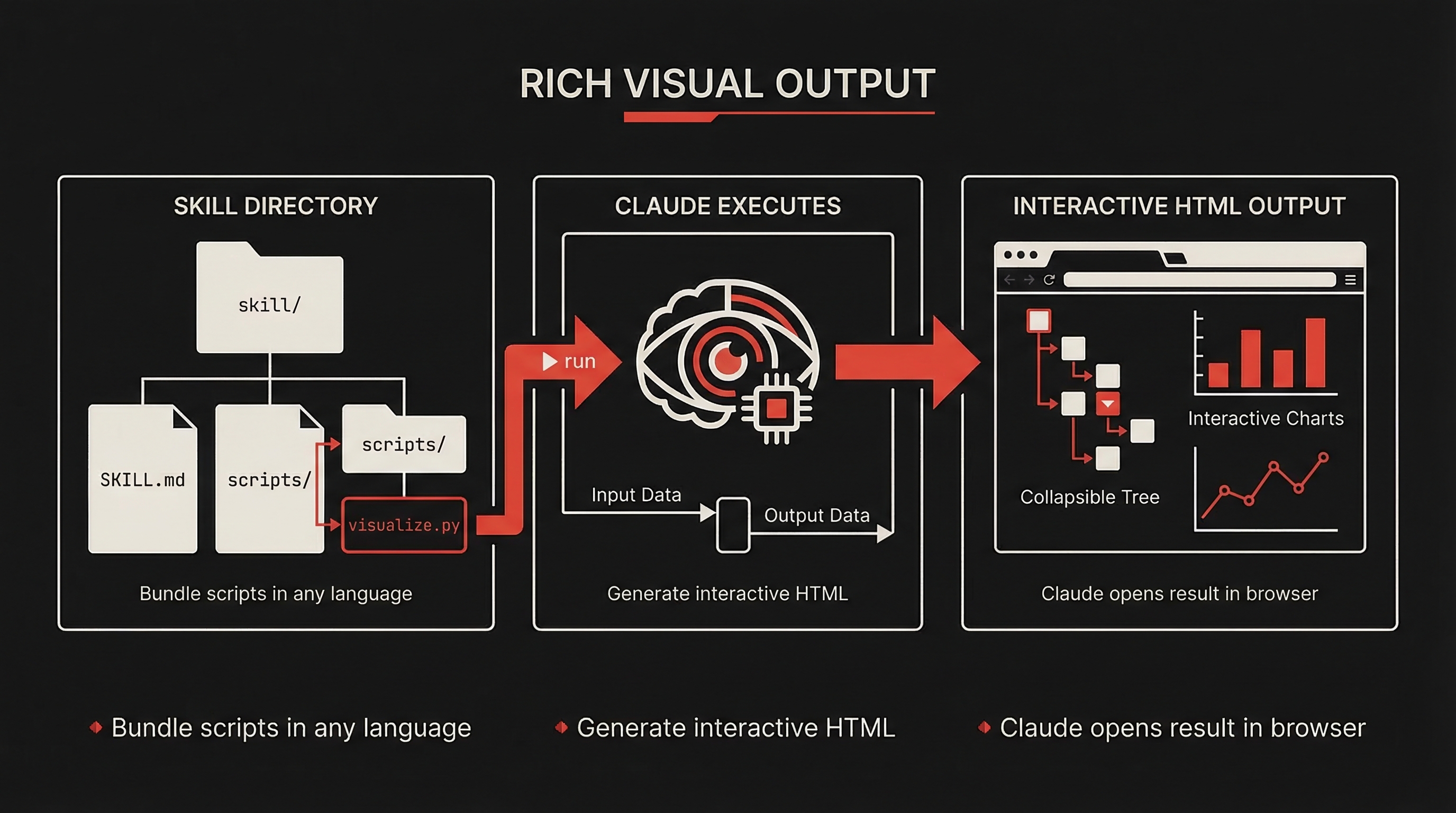
The visual output pattern is powerful: skills can bundle scripts (Python, JS, etc.) that generate interactive HTML. Claude runs the script, generates the HTML, and opens it in your browser. This works for dependency graphs, test coverage reports, API docs, or schema visualizations.
Testing and Evaluating Skills
Building a skill is only half the work. Testing whether it actually improves Claude's output is the other half — and the half most people skip.
The Three Testing Dimensions
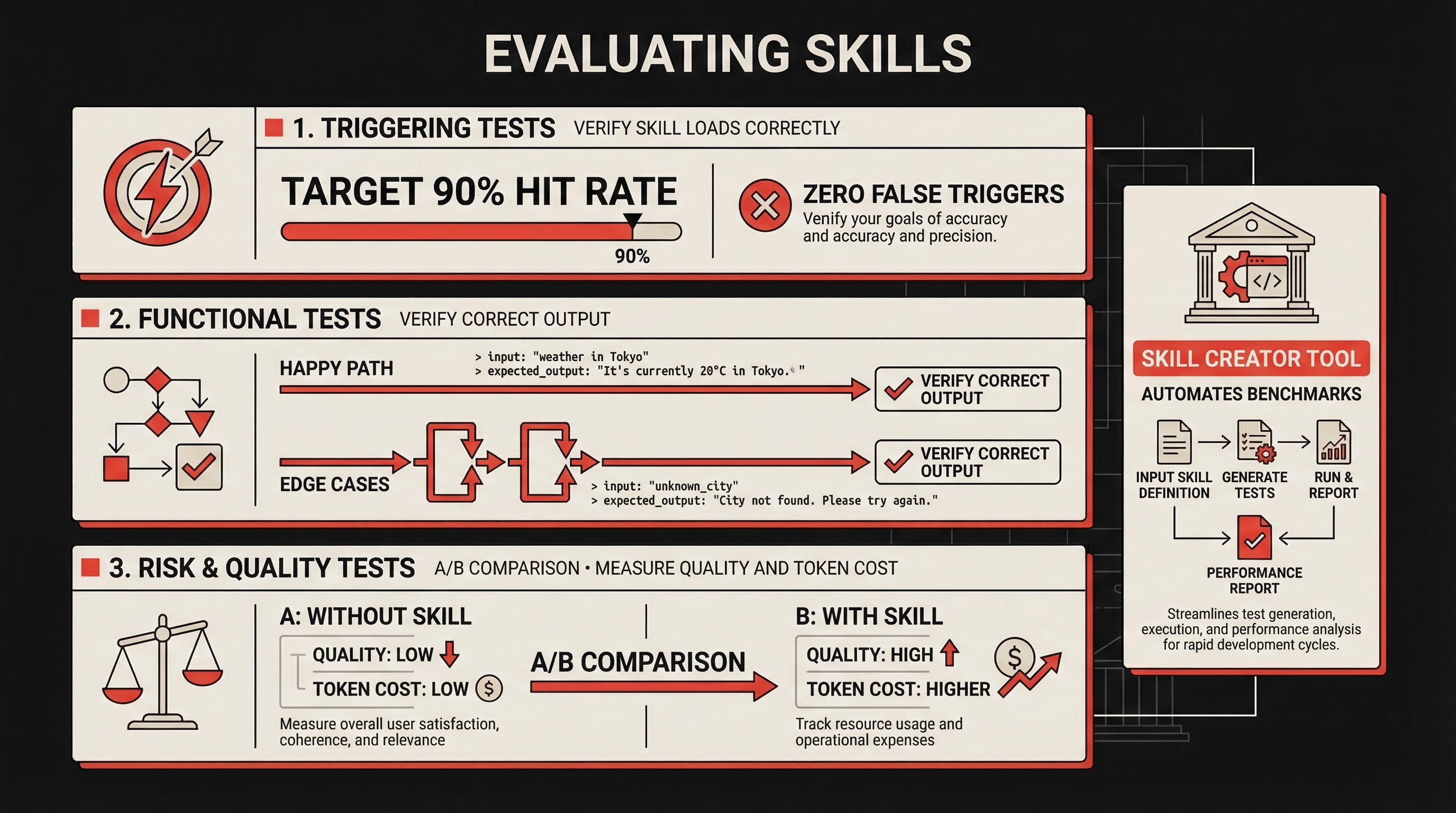
- Triggering tests — Verify the skill loads when it should and stays quiet when it shouldn't. Test with 10–20 sample queries. Target 90% hit rate, zero false triggers.
- Functional tests — Verify correct output across happy path, edge cases, and error scenarios.
- Risk & quality tests — A/B comparison with and without the skill. Compare output quality, token usage, and completion speed.
The Iterative Development Loop
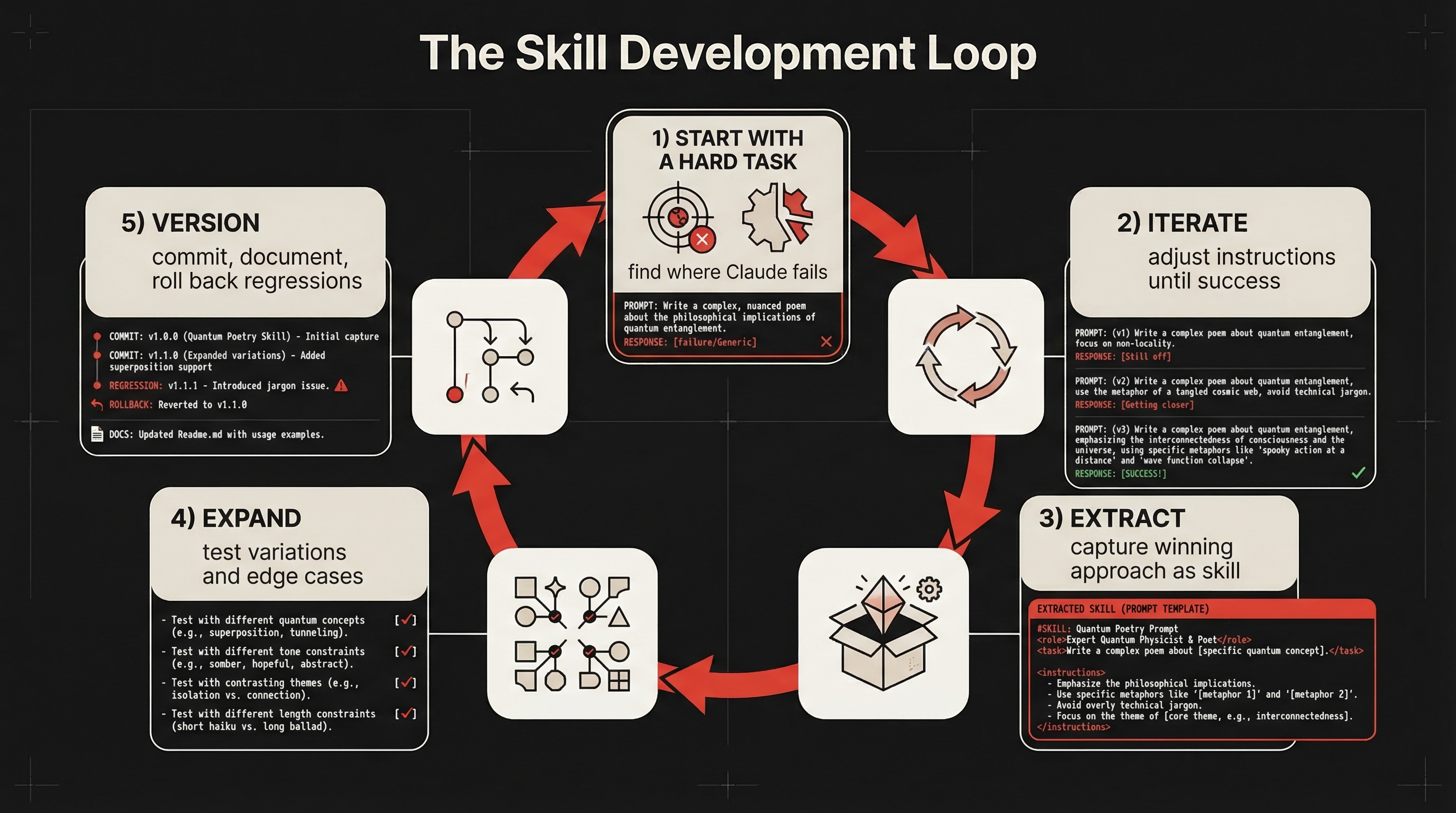
- Start with a hard task — Find where Claude struggles without help
- Iterate — Adjust instructions, add examples, refine until it works
- Extract — Capture the winning approach into a skill
- Expand — Test variations, edge cases, related scenarios
- Version like code — Commit changes, document what changed, roll back regressions
This loop works because it grounds the skill in a real failure before trying to generalize. Skills built from "Claude failed on this specific task" outperform skills built from "I think this would be useful."
The Skill Creator
The Skill Creator tool (available as a skill itself) automates much of this process — generating skills from descriptions, running A/B benchmarks, identifying issues, and rewriting vague descriptions for better triggering.
Quick Start: Build Your First Skill
Here's the fastest path to a working skill:
# 1. Create the directory
mkdir -p ~/.claude/skills/review-pr

# 2. Write SKILL.md
cat > ~/.claude/skills/review-pr/SKILL.md << 'EOF'
---
name: review-pr
description: Review a pull request for code quality, security, and correctness
disable-model-invocation: true
context: fork
agent: general-purpose
allowed-tools: Bash(gh *), Read, Grep, Glob
---

Review the current pull request:

## Pull request data
- Diff: !`gh pr diff`
- Description: !`gh pr view`
- Changed files: !`gh pr diff --name-only`

## Review checklist
1. **Correctness**: Does the code do what the PR says?
2. **Security**: Any injection, auth, or data exposure risks?
3. **Performance**: Any N+1 queries or slow paths?
4. **Testing**: Are changes covered by tests?
5. **Style**: Does it follow the project's conventions?

Provide specific file and line references for every finding.
EOF

# 3. Test it (in a project with an open PR)
# /review-pr
This skill demonstrates several Skills 2.0 features working together: context: fork keeps analysis out of your main conversation, disable-model-invocation ensures intentional triggering, allowed-tools scopes Claude to reading and gh commands only, and backtick commands inject live PR data.
Best Practices
- Keep skills under 500 lines. Move reference material to separate files.
- Use structured formats. Bullet points and numbered lists cost fewer tokens than prose.
- Include concrete examples. Show correct and incorrect behavior.
- Write specific descriptions. "Review PRs for security" triggers better than "helps with code."
- Load conditionally. Don't add every skill to every session.
- Version skills like code. Commit changes, document why, roll back regressions.
The Bigger Picture
Skills 2.0 represents a shift in how we think about AI coding assistants. Claude Code is no longer a tool you talk to — it's a platform you program.
The progression: CLAUDE.md gave us project-level instructions. Commands gave us slash-invocable workflows. Skills 1.0 added directories and supporting files. Skills 2.0 adds subagent execution, dynamic context injection, lifecycle hooks, permission controls, and formal evaluation.
The Agent Skills open standard at agentskills.io means this isn't proprietary lock-in. Skills you write for Claude Code can work across AI tools.
Whether you're building a personal review-pr skill or distributing a plugin with dozens of specialized agents, the infrastructure is the same: a SKILL.md file, optional supporting files, and frontmatter fields that control exactly how the skill behaves.
The tools are here. The question is what you build with them.
AI · Claude Code · Tutorial · Automation · Skills